Language Games · Activity Guide
Object Function Worksheets
Matching everyday objects with the actions they are used for, in six worksheet activities.
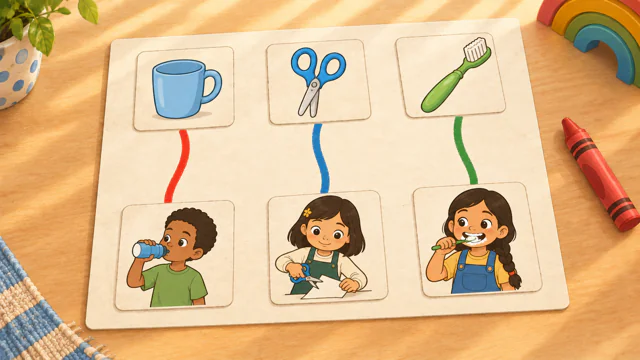
Controls and Setup
Choose an activity and a topic, then select Start Game. In Draw Lines, select an object and then its match, or drag a line between them. In Word Bank, select a word and then a box, or drag the word. Select Check My Work when feedback is set to Check at the End, and select Next Sheet when a sheet is done. Select the gear to change feedback, word tiles, or extra words, and select How to Play for the steps of the activity on screen.
Uses its own activity choices.
Play Object Function WorksheetsAn Example Together
Choose Draw Lines with the Around the House topic. The child connects the broom to sweep, and a line that fits stays on the sheet. Read the sentence strip together, then ask the child to name another object in the room and tell you what it does.
Use on a Shared Screen
Open the game on your computer and share that window in your video-call service. The SLP operates the controls while the child responds aloud or uses another appropriate communication method. If using game audio, check your call’s audio-sharing settings first.
The public games can currently be opened without an account. A verified adult account is required to save favorites, organize game collections, and save cloud word sets. The session planner also requires a verified adult account.
Read the teletherapy setup guideRelated Activities
- Object Function Match. Choosing the action or use that goes with a familiar object.
- Semantic Web Weaver. Describing nouns through six semantic connections.